FREE WORDPRESS SEO AUDIT TOOL

Free WordPress SEO Audit Tool: Check Your Website for Issues

Check your WordPress page for common technical SEO, performance, mobile, on-page, security, accessibility, and website-structure issues—without installing software or granting access to your site.

Get a free, easy-to-understand report with detected issues, passed checks, and practical next steps. No credit card or WordPress login required.

Run My Free SEO Audit See What It Checks

Free automated scan · Read-only · No credit card · No WordPress login · Typically about 60 seconds

Image of a man sitting in front of a laptop running a free wordpress seo audit on his website.

WHAT THE AUDIT CHECKS

Six areas that can affect how your website works and gets found.

An automated WordPress SEO audit reviews publicly available page signals and highlights issues worth investigating. It does not make changes to your website.

TECHNICAL SEO

Crawling and indexing

Review indexability signals, HTTPS, sitemaps, canonical URLs, redirects, and related settings.

SPEED & PERFORMANCE

Loading and page experience

Identify performance indicators and loading issues that can affect how visitors experience the page.

ON-PAGE SEO

Titles, headings, and content

Review metadata, heading structure, images, links, and signals that describe the page.

MOBILE USABILITY

Experience on smaller screens

Look for detectable issues that can make a page harder to read or navigate on mobile devices.

WEBSITE STRUCTURE

Links and organization

Assess page relationships and structural elements that help visitors and search engines navigate content.

SECURITY & ACCESSIBILITY

Selected trust and usability signals

Check detectable security and accessibility concerns that may need closer review.

UNDERSTAND THE RESULTS

See more than a single SEO score.

Your report shows passed checks, detected concerns, severity indicators, and plain-language explanations. Use it to decide which findings may deserve a closer look—not as a guarantee of rankings or a complete diagnosis.

Included: audit summary, individual checks, explanations, and priority guidance.

Run My Free SEO Audit
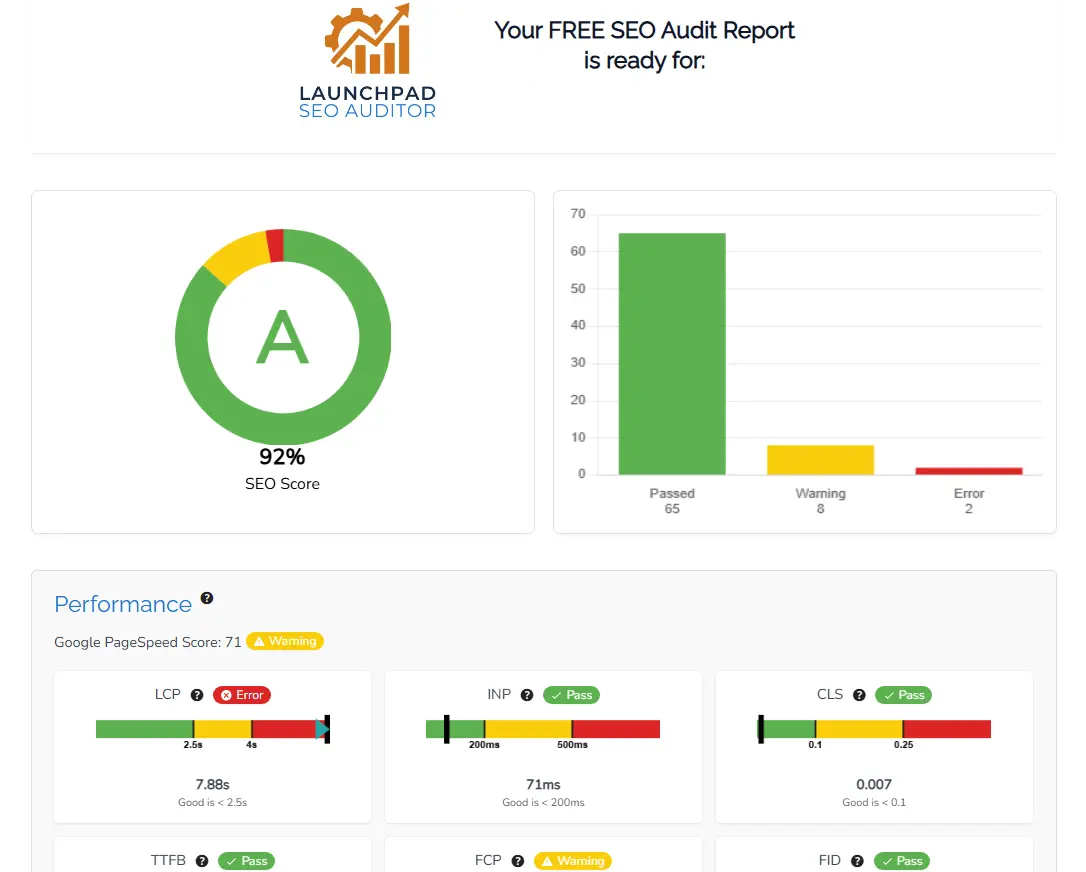
Example WordPress SEO audit report showing technical and speed issues

Illustrative report preview using sample data.

THREE SIMPLE STEPS

How the free WordPress SEO checker works.

01

Enter your page URL

Open the tool and provide the requested details and the public WordPress page you want to check.

02

Let the tool scan

The automated, read-only scan reviews publicly accessible signals without logging into WordPress or changing anything.

03

Review your findings

Read the report, investigate relevant issues yourself, or request professional help with the next steps.

BUILT FOR BUSINESS OWNERS

Useful findings, explained without the jargon.

I’m Toby, founder and lead web designer at LaunchPad. I created this tool to give WordPress website owners an approachable starting point when they are unsure what might need attention.

There is no obligation to hire LaunchPad. Use your results independently, or ask for help interpreting the findings and deciding what to fix first.

Explore Professional WordPress SEO

What the free audit cannot determine

✓ Whether your keywords match customer demand

✓ How well your content compares with competitors

✓ Why any particular Google ranking changed

✓ Your full website’s technical and content condition

✓ Whether every warning needs to be fixed

✓ Which changes will generate business results

An automated score is a starting point, not a ranking prediction or substitute for professional SEO research.

TURN FINDINGS INTO A PRACTICAL PLAN

Found SEO issues? Know what to tackle next.

Not every audit warning has the same impact. Some findings are straightforward to address; others need a closer look at your WordPress setup, customer searches, content, or competitors.

You can use the report on your own. If you would prefer help, LaunchPad offers professional WordPress SEO services to review relevant findings, prioritize improvements, and implement agreed changes.

No automatic upsell and no guaranteed ranking claims. We’ll discuss your goals and the scope of any work before you commit.

Explore WordPress SEO Services Ask About My Audit Results

When a professional review can help

✓ You have multiple warnings and are unsure where to start

✓ Your pages are not appearing for relevant searches

✓ You need help with indexing, content, or internal links

✓ Your business depends on local search visibility

✓ You want an expert to implement approved fixes

COMMON QUESTIONS

Free WordPress SEO audit FAQs

Understand what the tool can—and cannot—tell you before you run your scan.

View All FAQs

Yes, the automated scan is free. No credit card, WordPress password, or administrator login is needed. The tool uses publicly available page information and does not change your site.

Usually about 60 seconds, although the actual time depends on the website’s response and the services used during the scan.

The automated audit reviews the public page you submit and selected related signals. It is not a complete crawl, technical investigation, or professional review of every page on your website.

Yes. The tool checks the publicly generated page, so it can review pages built with common WordPress themes, builders, and WooCommerce. Results depend on what is accessible in the page output.

A high score shows that the tested page passed many automated checks. It does not guarantee rankings, qualified traffic, or leads. Search intent, competition, content quality, authority, and other factors also matter.

Read the explanation and confirm that the finding applies to your website before making changes. You can research and address appropriate items yourself or ask LaunchPad about WordPress SEO services.

Submitted information is used to provide the audit and communicate about your report or relevant LaunchPad services. See the Privacy Policy for more information.