
No products in the cart.
SEO
WordPress SEO Guide for Small Businesses (2026)
WORDPRESS SEO FOR SMALL BUSINESSES
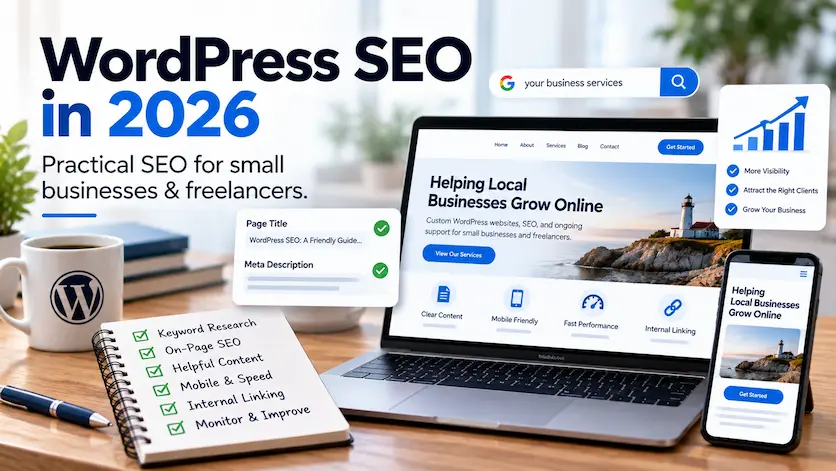
WordPress SEO in 2026: A Practical Guide for Small Businesses
WordPress SEO does not have to mean chasing algorithms, stuffing keywords into pages, or rebuilding your site every time search changes.
The fundamentals still matter: make your website easy to crawl, understand, use, and trust; create useful pages around real customer needs; connect related content clearly; and measure what actually produces visibility and leads.
This guide explains what small businesses and freelancers should focus on in 2026—including Google Search, AI-powered search features, local SEO, technical foundations, content, and performance.
Updated for 2026
THE QUICK ANSWER
What matters most for WordPress SEO in 2026?
For most small-business WordPress sites, SEO comes down to ten practical priorities:
1. Make important pages crawlable and indexable
2. Understand what customers are actually searching for
3. Give each important page a clear search purpose
4. Create useful, original, people-first content
5. Use clear titles, headings, URLs, and metadata
6. Build strong internal linking and site structure
7. Strengthen local SEO when geography matters
8. Deliver a strong mobile and performance experience
9. Use accurate structured data and real trust signals
10. Measure results in Search Console and Analytics
You do not need a different SEO strategy for every new Google feature. Strong fundamentals give search systems—and real people—the clearest picture of your business.
START WITH EVIDENCE
Don’t guess what your website needs
A useful SEO review should look at technical accessibility, indexing, content, page intent, internal links, mobile usability, performance, and current search visibility.
In This Guide
What changed in SEO for 2026?
1. Make sure Google can crawl and index the site
2. Research search intent and useful keywords
3. Optimize titles, headings, URLs, and metadata
4. Create people-first content
5. Improve internal linking and site structure
6. Strengthen local SEO when location matters
7. Improve mobile experience and performance
8. Use structured data accurately
9. Build authority and trust
10. Measure and improve
Frequently asked questions
SEO IN 2026
What has actually changed—and what hasn’t?
Search has changed substantially, especially with AI Overviews, AI Mode, more conversational queries, richer search results, and new ways of exploring information.
But Google’s own guidance remains surprisingly consistent: the same fundamental SEO practices continue to matter for AI-powered search. There is no separate technical requirement or special “AI SEO” markup that guarantees inclusion.
The best response is not to create dozens of pages for every possible variation of a question. It is to make your existing site genuinely useful, distinctive, well structured, crawlable, and trustworthy.
AI SEARCH
SEO fundamentals still apply
AI Overviews and AI Mode draw on Google’s broader search and quality systems. You do not need a separate version of your website for AI search.
PEOPLE-FIRST CONTENT
Useful beats generic
Original expertise, useful explanations, firsthand experience, case studies, and content that actually satisfies the visitor are more valuable than publishing volume for its own sake.
TRUST
E-E-A-T is a framework, not a score
Experience, expertise, authoritativeness, and trustworthiness can help explain what strong content looks like, but E-E-A-T itself is not a single Google ranking factor or plugin score.
SEO PRIORITY 1
Make sure search engines can crawl and index the pages that matter
Before optimizing keywords or writing more content, make sure Google can access the important pages you already have.
WordPress makes publishing easy, but settings, SEO plugins, staging configurations, canonical tags, redirects, robots directives, or old URLs can still create indexing problems.
Google Search Console is the best place to see whether Google has discovered a page, crawled it, indexed it, or chosen not to include it.
A sitemap helps discovery, but being listed in a sitemap does not guarantee indexing. Google still evaluates whether each URL deserves a place in its index.
TECHNICAL CHECK
Confirm the basics first
✓ HTTPS works correctly
✓ Important pages are not set to noindex
✓ Robots.txt is not blocking needed content
✓ Canonicals point to the intended URL
✓ Redirects do not create loops or chains
✓ XML sitemap contains canonical URLs
✓ Search Console sees the correct pages
✓ Old duplicates are consolidated appropriately
BETTER KEYWORD RESEARCH
Look for intent, not just volume
✓ What does the person actually want?
✓ Are they researching or ready to buy?
✓ Is the query local?
✓ Does an existing page already answer it?
✓ Can your business offer something useful or distinctive?
SEO PRIORITY 2
Research what customers mean—not just the words they type
Keyword research is still useful, but the goal is not to collect the largest possible list of phrases.
Focus on search intent: what problem is the person trying to solve, what information do they need, and what kind of page would best satisfy that need?
A person searching “WordPress maintenance cost” probably wants pricing context. Someone searching “WordPress maintenance plan” may want to understand what a plan includes. Those phrases are related, but they are not identical questions.
Google Search Console is particularly valuable because it shows the real queries for which your existing pages are already receiving impressions.
SEO PRIORITY 3
Make every important page easy to understand
On-page SEO should make the page clearer—not make it sound like it was written for a search engine.
Each important page should have a distinct purpose, descriptive title, one clear H1, logical supporting headings, useful copy, and internal links that connect it to related content.
SEO TITLE
Describe the page accurately
Write a concise title that communicates the page’s subject and gives searchers a reason to choose it. Do not force the exact keyword into every possible position.
HEADINGS
Build a logical hierarchy
Use one primary H1 and descriptive H2/H3 headings that organize the content around useful subtopics and questions.
META DESCRIPTION
Write for the searcher
A meta description does not guarantee rankings, but a clear description can help people understand what the page offers before they click.
URL
Keep it stable and descriptive
Use readable URLs when creating new pages, but do not change established URLs merely to make them shorter if the existing page already has history and signals.
IMAGES
Use useful filenames and alt text
Alt text should describe the image’s useful meaning for accessibility. Do not stuff image alt text with unrelated keywords.
SEO PRIORITY 4
Create content that earns its place on the website
There is no rule that a blog post needs 1,000, 1,500, or 2,000 words to rank.
A page should be as long as it needs to be to satisfy its purpose clearly and completely.
Useful content may include service explanations, comparisons, pricing context, how-to guides, case studies, firsthand observations, FAQs, original examples, or answers to recurring customer questions.
What matters most is whether the page adds something useful rather than repeating generic information already available everywhere else.
For LaunchPad, this is why real client transformation stories and practical guides are more valuable than publishing large numbers of lightly differentiated articles.
PEOPLE-FIRST CONTENT CHECK
Ask whether the page deserves to exist
✓ Does it solve a real customer problem?
✓ Is the intent distinct from another page?
✓ Does it include genuine expertise or proof?
✓ Is the information accurate and current?
✓ Would a visitor feel satisfied after reading it?
✓ Does it support a useful next step?
EXPERIENCE, EXPERTISE & TRUST
What does E-E-A-T actually mean for a small-business website?
E-E-A-T stands for Experience, Expertise, Authoritativeness, and Trustworthiness.
It is useful as a way to think about content quality, but it is not a single ranking factor you can “optimize to 100%.”
For a real small business, the practical lesson is simple: show who is behind the business, explain your real experience, make claims you can support, use authentic reviews and case studies, provide accurate contact and business information, and keep important content current.
Trust is built through evidence—not by repeatedly calling yourself an expert.
INTERNAL LINKING
Help visitors move logically
Article → Related guide
Article → Service
Service → Case study
Case study → Pricing
Pricing → Contact
Supporting article → Main topic hub
SEO PRIORITY 5
Use internal links to show how your website fits together
Internal links help users discover related information and help search engines understand relationships between pages.
Important pages should not exist in isolation. A supporting article should naturally link to the service, guide, case study, or commercial page that continues the visitor’s journey.
Use descriptive anchor text that explains what the destination contains. Avoid vague links such as “click here” when a clearer phrase is available.
For example, this guide connects naturally to WordPress SEO services, the free WordPress SEO audit, relevant supporting guides, and real client work.
SEO PRIORITY 6
If geography matters, local SEO deserves its own attention
A local business does not need to rank everywhere. It needs to be visible to the right people in the places it actually serves.
Your website, Google Business Profile, reviews, business information, local relevance, and third-party mentions should reinforce one another.
GOOGLE BUSINESS PROFILE
Keep the profile complete and accurate
Use the correct business information, categories, services, hours, website URL, photos, and other relevant profile details.
WEBSITE
Explain where you genuinely serve
Use natural location context where relevant. Avoid creating dozens of nearly identical city pages purely to capture keyword variations.
REVIEWS & MENTIONS
Build real local trust
Customer reviews, community relationships, industry directories, local organizations, and legitimate mentions can strengthen both human trust and local visibility.
For more detail, read What Is Local SEO? or explore LaunchPad’s SEO services.
SEO PRIORITY 7
Make the mobile version complete, usable, and fast
Google uses the mobile version of website content for indexing and ranking, so your mobile experience should not be an incomplete version of the desktop site.
Important text, internal links, images, structured data, navigation, and calls to action should remain accessible on smaller screens.
Performance also affects the user experience. Google’s current Core Web Vitals “good” thresholds are:
LCP: 2.5 seconds or less
INP: 200 milliseconds or less
CLS: 0.1 or less
These metrics matter, but they are not a reason to remove useful content simply to chase a perfect score.
Common WordPress performance wins
✓ Resize and compress images
✓ Use modern image formats where appropriate
✓ Avoid unnecessary plugins
✓ Limit heavy third-party scripts
✓ Use effective caching
✓ Use reliable hosting
✓ Keep software updated
✓ Test real mobile pages
STRUCTURED DATA RULE
Describe what really exists
Use schema that accurately represents visible content and real entities.
Do not: add ratings, FAQs, products, events, organizations, or services that are not genuinely present just because a plugin offers the option.
SEO PRIORITY 8
Use structured data to clarify content—not to manufacture rich results
Structured data can help search engines understand entities and page content more precisely.
Useful schema types depend on the page: Organization, Person, BreadcrumbList, Article or BlogPosting, Product, Service, LocalBusiness, Event, and other relevant types may be appropriate when the visible content genuinely supports them.
Structured data does not guarantee a special search result.
For example, Google no longer regularly displays FAQ rich results for ordinary commercial websites. That does not make accurate FAQ content useless—it simply means FAQ schema should not be treated as a shortcut to extra search-result space.
SEO PRIORITY 9
Build authority outside your own website too
A perfectly optimized page does not exist in isolation. Search engines also encounter your business through links, mentions, reviews, directories, partners, clients, publications, communities, and other independent sources.
For a small business, the goal should be legitimate corroboration, not collecting hundreds of low-quality links.
REAL LINKS
Earn links worth having
Client websites, professional partners, industry organizations, useful resources, interviews, expert contributions, and legitimate local or niche publications can all create meaningful authority.
REVIEWS
Let customers corroborate the business
Authentic reviews provide useful trust signals for prospective customers and can strengthen your broader local and brand presence.
THIRD-PARTY PROFILES
Keep important profiles consistent
Industry directories and professional profiles are most useful when they are legitimate, accurate, maintained, and connected to the real business.
SEO PRIORITY 10
Measure whether visibility is turning into useful business outcomes
SEO is not finished when a page ranks for a keyword.
Google Search Console can show impressions, clicks, click-through rate, query themes, indexing status, and average position. Analytics can show what visitors do after they arrive.
The most useful analysis connects those two sides together.
A page with fewer visits but strong engagement and qualified inquiries may be far more valuable than a page receiving lots of irrelevant traffic.
WHAT TO REVIEW
Track more than rankings
✓ Search impressions
✓ Clicks and CTR
✓ Average position
✓ Indexed pages
✓ Landing-page engagement
✓ Contact-form submissions
✓ Calls or email actions
✓ Purchases or bookings
✓ Qualified leads
WORDPRESS TOOL
SEO plugins are useful helpers
Tools such as Rank Math or Yoast can help manage metadata, XML sitemaps, canonicals, robots directives, and structured data.
But a plugin cannot decide your positioning, create real expertise, earn authority, fix poor page intent, or make generic content useful.
WHAT ABOUT SEO PLUGINS?
An SEO plugin does not “do SEO” for you
A good WordPress SEO plugin makes technical settings much easier to manage, but its traffic-light score or checklist is not Google’s ranking system.
Use the plugin to implement your strategy—not as the strategy itself.
If a plugin tells you to repeat an exact keyword in a way that makes the page awkward, prioritize natural, useful writing over satisfying a software score.
START SMALL
A practical WordPress SEO action plan for this month
Week 1: Measure
Review Search Console. Identify the pages already earning impressions, their query themes, CTR, and indexing status.
Week 2: Improve
Choose one promising page. Improve its title, opening answer, content clarity, internal links, and conversion path.
Week 3: Strengthen
Add relevant case-study proof, reviews, author information, useful supporting content, or missing internal links.
Week 4: Distribute
Share the useful page through appropriate social channels, client relationships, professional profiles, or outreach where it genuinely helps someone.
Then measure again
Give search engines time to process meaningful changes. Compare visibility, engagement, and leads before deciding what to improve next.
NOT SURE WHERE TO START?
Run the free WordPress SEO audit first
The LaunchPad SEO Audit checks technical SEO, page structure, speed, mobile usability, security, accessibility, and other foundational issues without changing anything on your website.
COMMON QUESTIONS
WordPress SEO FAQs
Quick answers about WordPress SEO, AI search, plugins, keywords, structured data, mobile performance, and how long SEO takes.
Is WordPress good for SEO in 2026?
Yes. WordPress can provide a strong SEO foundation because it supports customizable content, URLs, metadata, internal linking, structured data, responsive themes, and extensive technical control. Results still depend on how the site is built, maintained, and optimized.
Do I need an SEO plugin for WordPress?
An SEO plugin is not strictly required, but it makes important tasks such as titles, meta descriptions, XML sitemaps, canonical tags, robots directives, and structured data easier to manage. The plugin is a tool, not a substitute for an SEO strategy.
Does AI search require a different SEO strategy?
No separate strategy or special markup is required for Google’s AI Overviews or AI Mode. Google’s guidance is that established SEO best practices remain relevant. Focus on useful content, crawlability, clear structure, real expertise, trustworthy information, and a strong user experience.
Is E-E-A-T a Google ranking factor?
E-E-A-T itself is not a single specific ranking factor. Google uses many signals designed to identify helpful and trustworthy content. Experience, expertise, authoritativeness, and especially trust are useful concepts for evaluating whether your site demonstrates genuine credibility.
How many keywords should I target on one page?
There is no ideal number. Give each page one clear primary purpose and naturally cover the related terms, questions, and entities needed to answer that topic well. Avoid creating awkward copy simply to repeat exact keyword phrases.
How long should a WordPress blog post be for SEO?
There is no required word count. The article should be long enough to answer the searcher’s question clearly and completely without unnecessary filler. Some topics require a few hundred words; others need a much more detailed guide.
Does website speed affect SEO?
Page experience and Core Web Vitals are among the factors Google’s systems consider, but speed should be viewed as part of the overall user experience rather than as a standalone ranking trick. A fast site that does not answer the user’s question is still not a useful page.
How long does SEO take to work?
There is no fixed timeline. Results depend on competition, site history, authority, technical condition, content quality, search demand, and the changes being made. Some improvements may be reflected quickly, while meaningful ranking and authority growth often develops over months.
Should small businesses use schema markup?
Use structured data when it accurately describes the business or visible page content. Appropriate schema can help search engines understand entities and relationships, but it does not guarantee rankings or rich results.
CONTINUE IMPROVING YOUR SEO
Related LaunchPad SEO and website guides
SEO AUDIT
Free WordPress SEO Audit
Check foundational technical, mobile, performance, accessibility, and on-page issues.
SEO SERVICES
WordPress SEO Services
Get direct help with technical SEO, on-page optimization, content strategy, local SEO, and internal linking.
LOCAL SEO
What Is Local SEO?
Understand how websites, Google Business Profiles, reviews, local relevance, and authority work together.
PERFORMANCE
Why Website Speed Matters
Learn how performance and Core Web Vitals affect the experience of real website visitors.
WEBSITE STRATEGY
5 Common Website Mistakes
Fix problems with messaging, calls to action, proof, mobile usability, and search visibility.
REAL PROOF
Client Success Stories
See how strategy, content, structure, design, and SEO foundations come together in real WordPress projects.
IMPROVE WHAT MATTERS
Not sure what is holding your WordPress site back in search?
LaunchPad works directly with small businesses on WordPress SEO, technical improvements, content structure, local search, internal linking, and practical search strategy.
Start with the free audit or tell me what you are trying to improve. I will give you a practical recommendation based on the website and your business goals.
