
No products in the cart.
SEO, Website Design
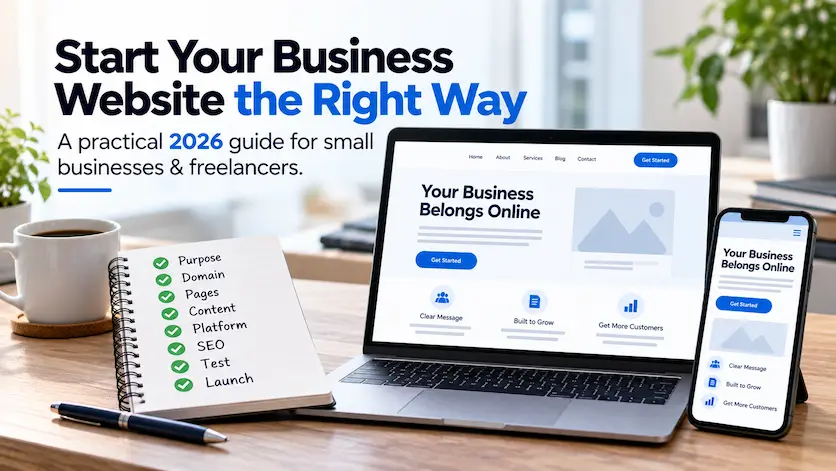
How to Start a Small Business Website in 2026
SMALL BUSINESS WEBSITE GUIDE
How to Start a Small Business Website in 2026: Step-by-Step Guide
You do not need to know how to code or have every detail figured out before starting a business website.
You need a clear goal, the right basic structure, useful content, a domain, a website platform, and a plan for search, testing, launch, and ongoing care.
This guide walks through the process in a practical order so you can make good decisions without getting buried in technical jargon.
Updated for 2026
THE QUICK ANSWER
What do you need to start a small-business website?
At minimum, you need:
1. A clear purpose
2. A domain name
3. Reliable hosting or a hosted platform
4. A simple page structure
5. Clear customer-focused content
6. A website platform
7. A usable mobile-friendly design
8. Basic SEO foundations
9. Testing before launch
10. A plan for ongoing updates and maintenance
The tools matter, but the planning comes first. A simple website with a clear purpose can be far more useful than a large site built without a strategy.
FREE PLANNING RESOURCE
Start with the Website Starter Kit
The free LaunchPad Website Starter Kit gives you a structured way to think through your pages, content, branding, and website requirements before you start building.
In This Guide
1. Define what the website needs to accomplish
2. Choose your domain name
3. Decide how the website will be built
4. Plan the pages and navigation
5. Prepare your website content
6. Design for clarity, trust, and mobile users
7. Build SEO foundations from the beginning
8. Test before launch
9. Launch and connect your measurement tools
10. Maintain and improve the website
DIY, AI builder, or professional website?
Frequently asked questions
STEP 1
Define what the website needs to accomplish
Before choosing a platform, theme, colors, or domain, decide what the website is supposed to do for the business.
The answer affects almost every decision that follows.
A service business may need to generate quote requests. A therapist may need to explain services and guide visitors toward an appointment. A freelancer may need a portfolio and inquiry form. A store needs product, payment, shipping, and customer-account functionality.
Try to define one primary action and a few supporting actions rather than asking the website to do everything equally.
START WITH THE BUSINESS GOAL
What should a visitor do next?
✓ Request a quote
✓ Schedule an appointment
✓ Call or email
✓ Visit a physical location
✓ Buy a product
✓ View a portfolio
✓ Learn about services
✓ Join an email list
DOMAIN CHECKLIST
Choose something easy to use
✓ Close to your business or brand name
✓ Easy to spell
✓ Easy to say aloud
✓ Short enough to remember
✓ Avoid unnecessary hyphens or numbers
✓ Check for confusingly similar brands
STEP 2
Choose a domain name you can build a brand around
Your domain is the permanent web address people will type, share, bookmark, and associate with your business.
For most businesses, a straightforward brand-based domain is preferable to stuffing search keywords into the URL. A simple name is easier to explain on the phone, include on printed material, put into an email address, and remember later.
A .com can be a good choice when the appropriate name is available, but it is not the only legitimate domain extension. The best option is one that fits the business and avoids confusion.
Important: register the domain in an account the business controls and make sure ownership, renewal information, and login access are documented.
STEP 3
Decide how the website will be built
There is no single best platform for every business. The right choice depends on the site’s purpose, budget, technical comfort, required functionality, and how much control you want over future growth.
DIY BUILDER
Good for simple projects
Hosted website builders can make it easier to launch a straightforward website without managing hosting, updates, or much of the technical setup yourself.
Consider: ease of use, portability, SEO controls, integrations, future features, and long-term cost.
AI-ASSISTED BUILDER
Useful as a starting tool
AI can speed up layout drafts, copy ideas, image concepts, and setup. The important question is not whether AI was used—it is whether the finished website is useful, accurate, original, crawlable, accessible, and appropriate for the business.
PROFESSIONAL BUILD
Useful when the website has a bigger job
A professional build may make more sense when the site supports revenue, appointments, ecommerce, local search, complex integrations, or a broader content and conversion strategy.
LaunchPad specializes in WordPress because it provides substantial flexibility and control over content, themes, plugins, site structure, and future functionality. WordPress itself is open source and can support everything from simple business sites to more complex projects.
If you are comparing platforms, the guide WordPress vs. Squarespace for Small Businesses can help you think through that decision.
STEP 4
Plan the pages and navigation before you start designing
A common beginner mistake is choosing a template first and then trying to force the business into it.
Start with the information customers actually need.
A simple service-business website might need Home, About, Services, Portfolio or Reviews, and Contact. A business with several distinct services may benefit from dedicated service pages. A store needs products, cart, checkout, account, and policy pages.
There is no ideal number of pages. The goal is a structure that makes the business easy to understand and gives important topics enough room to be useful.
A common small-business structure
Home — what you do and who you help
About — who is behind the business
Services — what customers can hire you for
Proof — portfolio, reviews, or case studies
Contact — the next step
Add pages only when they serve a real user or search purpose.
CONTENT TO GATHER
Prepare the building blocks
✓ Business description
✓ Services or products
✓ Customer problems you solve
✓ About information
✓ Testimonials or reviews
✓ Portfolio/project examples
✓ Contact information
✓ Brand photos and images
✓ Frequently asked questions
✓ Calls to action
STEP 5
Prepare clear content before worrying about clever copy
Most visitors arrive with practical questions. They want to know whether the business offers what they need, whether they trust it, and what they should do next.
Your content should make those answers easy to find.
Start with plain language. Explain who you help, what you offer, how the process works, what makes your approach useful, and how someone can get started.
You can improve tone and polish later. Clarity is more important than trying to sound impressive.
For additional guidance, read Website Copywriting That Connects.
STEP 6
Design for clarity, trust, and real devices
Good business web design is not about adding as many effects as possible. It is about making important information easy to see, read, and use.
Build a clear visual hierarchy. Use readable typography, consistent spacing, meaningful images, obvious calls to action, and enough contrast for comfortable reading.
Mobile should be treated as part of the design from the beginning—not as a smaller desktop layout added at the end. Forms, menus, buttons, images, and important content should all work comfortably on smaller screens.
If you want to see these principles applied to real projects, browse the LaunchPad portfolio and client success stories.
DESIGN CHECKLIST
Keep the experience simple
✓ Readable fonts
✓ Strong contrast
✓ Consistent brand colors
✓ Useful images
✓ Clear navigation
✓ Obvious next steps
✓ Comfortable mobile buttons
✓ Short, usable forms
✓ Enough white space
STEP 7
Build SEO foundations before the website launches
SEO should not be something added after every page is already built.
You do not need an advanced SEO campaign before launch, but the site’s basic structure should help search engines and people understand what each important page is about.
PAGE INTENT
Give each important page a purpose
A service page should clearly focus on that service rather than trying to rank one homepage for every possible topic.
ON-PAGE BASICS
Use clear titles and headings
Use descriptive page titles, a logical heading structure, useful body copy, meaningful links, and appropriate image alt text.
SITE STRUCTURE
Connect related pages
Internal links help visitors continue their journey and help search engines discover and understand the relationship between pages.
For more depth, use the WordPress SEO Guide, review WordPress SEO services, or run the free WordPress SEO audit.
STEP 8
Test the website before you tell the world it is ready
Launch day should not be the first time anyone tests the site carefully.
Check the website on multiple screen sizes, click every important link, submit every form, review spelling and contact information, test navigation, and make sure the most important customer journeys actually work.
Page experience matters too. Google recommends looking at the overall user experience—including mobile usability, secure delivery, Core Web Vitals, and whether the main content is easy to access—rather than chasing one isolated performance score.
Pre-launch QA
□ Navigation works
□ Forms actually deliver messages
□ Phone/email links work
□ No broken links
□ Mobile layout is usable
□ Images load correctly
□ Titles and metadata are set
□ SSL/HTTPS works
□ Contact information is correct
□ Analytics is ready
LAUNCH IS THE BEGINNING
Connect the website to the rest of the business
✓ Google Search Console
✓ Analytics
✓ Google Business Profile when relevant
✓ Social profiles
✓ Directory listings
✓ Email signatures
✓ Printed material
✓ Existing customers and contacts
STEP 9
Launch the website and make sure you can measure what happens next
Publishing the site is only one part of launch.
Make sure search engines can access the website, submit the sitemap through Google Search Console, connect your analytics, and update the places where customers already find the business.
Then measure outcomes that actually matter. Page views are useful, but inquiries, bookings, calls, purchases, and qualified leads tell you much more about whether the website is supporting the business.
STEP 10
Keep the website accurate, secure, and useful after launch
A business website changes along with the business.
Services change. Staff changes. Pricing changes. Software needs updates. Links break. Search behavior evolves. New reviews and projects become available.
Ongoing maintenance is therefore partly technical and partly editorial: keep the software healthy, but also keep the information accurate.
For WordPress sites, the LaunchPad Website Care plans cover ongoing updates, backups, monitoring, and support. You can also use the WordPress Maintenance Checklist if you prefer to manage routine tasks yourself.
ONGOING WEBSITE CARE
Review regularly
✓ WordPress/software updates
✓ Backups
✓ Security monitoring
✓ Forms and key functionality
✓ Broken links
✓ Performance
✓ Services and pricing
✓ Portfolio/projects
✓ Reviews and proof
✓ Search performance
CHOOSING THE RIGHT APPROACH
Should you build the website yourself or hire a web designer?
Both can be reasonable choices. The decision usually comes down to time, technical comfort, business importance, and how much strategy the website requires.
DIY MAY MAKE SENSE WHEN
You have more time than budget
✓ The site is simple
✓ You enjoy learning software
✓ You can troubleshoot basic issues
✓ A slower launch is acceptable
✓ The website is not technically complex
A DIY site is not automatically inferior. The quality depends on planning, execution, content, testing, and ongoing care.
PROFESSIONAL HELP MAY MAKE SENSE WHEN
The website has an important business job
✓ Leads or sales depend on it
✓ You need stronger SEO structure
✓ You have multiple services
✓ You need ecommerce or integrations
✓ Your time is better spent elsewhere
A professional should provide strategy and problem-solving—not simply operate the page builder for you.
BUDGETING FOR YOUR WEBSITE
How much should you budget for a small-business website?
Website costs vary too much by platform, hosting, functionality, ecommerce requirements, content, design, and professional involvement to reduce the answer to one reliable industry number.
A DIY site may mainly involve domain, hosting or platform fees, premium tools, and your own time. A professionally designed website adds strategy, design, implementation, testing, and often SEO setup or content support.
The better question is: what does this particular website need to accomplish, and what level of help do you need to build it correctly?
LaunchPad publishes current starting prices so you can evaluate the options without having to request a quote just to see the baseline.
Current LaunchPad starting prices
Freelancer: starting at $500
Micro Business: starting at $800
Core Business: starting at $1,000
Website Refresh: starting at $800
Final project scope depends on the website’s actual requirements.
WHAT ABOUT AI SEARCH?
Do you need to build a separate website for AI or AEO?
No. There is no separate “AI website” you need to build.
The same fundamentals that help people and search engines understand a business also make the site easier for answer engines and AI systems to interpret: clear authorship, useful content, logical structure, descriptive services, trustworthy proof, relevant internal links, accurate business information, and appropriate structured data.
Focus on making the website genuinely understandable rather than chasing tricks designed for one search feature.
BUILD FOR CLARITY
Strong foundations help everywhere
✓ Clear business identity
✓ Defined services
✓ Real expertise
✓ Useful answers
✓ Real case studies
✓ Consistent business information
✓ Strong internal linking
✓ Appropriate schema
NOT READY TO HIRE ANYONE YET?
Use the Free Website Starter Kit to organize your ideas first
The planning stage is where many website projects become unnecessarily confusing. The free LaunchPad Website Starter Kit gives you a practical starting point before you choose a designer, platform, or template.
COMMON QUESTIONS
Starting a business website FAQs
Quick answers about domains, WordPress, AI website builders, SEO, timelines, costs, and what you need before starting.
What do I need before building a business website?
Start with a clear business goal, a basic idea of the services or products you need to present, your contact information, and any branding, photos, testimonials, or portfolio material you already have. You do not need every sentence written before planning begins.
Do I need a domain name before I hire a web designer?
No. You can choose and register the domain before or during the website project. What matters is that the business ultimately controls the domain registration account and renewal access.
Is WordPress still a good choice for a business website in 2026?
Yes. WordPress remains a flexible open-source platform that can support simple business websites, portfolios, blogs, ecommerce, membership sites, and more. Whether it is the best choice depends on the specific project and how much flexibility and control the business needs.
Can an AI-built website rank in Google?
Yes. The use of AI in the creation process does not by itself prevent a website from ranking. Search visibility depends on factors such as helpful and original content, crawlability, page intent, site structure, links, authority, mobile usability, and overall implementation.
How long does it take to build a small-business website?
The timeline depends on scope, content readiness, feedback, functionality, and who is building it. A simple site can be much faster than a larger ecommerce or multi-service project. LaunchPad’s current project timelines typically begin around two to four weeks for smaller sites and may extend to three to six weeks for larger projects.
Do I need SEO when the website first launches?
You should build basic SEO foundations from the beginning: clear page intent, titles, headings, crawlable navigation, useful content, internal links, image alt text, and appropriate metadata. More extensive SEO work can continue after launch.
How many pages does a small-business website need?
There is no universal page count. A very simple freelancer or micro-business site may work well as one page, while businesses with multiple services, locations, strong search goals, ecommerce, or substantial educational content usually benefit from a larger structure.
Do I need ongoing website maintenance after launch?
Yes. Websites need some level of ongoing attention to keep software, backups, security, content, forms, links, and performance in good condition. The amount of maintenance depends on the website and platform.
KEEP PLANNING YOUR WEBSITE
Related LaunchPad website guides
WEBSITE STRATEGY
5 Common Website Mistakes
Learn what commonly goes wrong with messaging, calls to action, trust, mobile experience, and SEO.
ONLINE PRESENCE
Website vs. Social Media
Understand why your website and social channels work best as complementary parts of your online presence.
SEO
WordPress SEO Guide
Go deeper into content, technical SEO, structure, internal linking, and authority.
PLATFORM
WordPress vs. Squarespace
Compare two common approaches for building a small-business website.
PROOF
Client Success Stories
See how LaunchPad approaches real websites across healthcare, landscaping, ecommerce, travel, education, and professional services.
PRICING
WordPress Website Pricing
Compare current LaunchPad project options and transparent starting prices.
START WITH A PLAN
You do not need to figure out your first business website alone.
LaunchPad works directly with freelancers and small-business owners to plan and build strategic WordPress websites without agency complexity or unnecessary features.
Tell me what your business does, what you need the website to accomplish, and where you are in the process. I will give you a practical recommendation for the next step.
