
No products in the cart.
WordPress Maintenance
What Is a WordPress Maintenance Plan? 2026 Guide
WORDPRESS MAINTENANCE PLAN GUIDE
What is a WordPress maintenance plan—and what should it include?
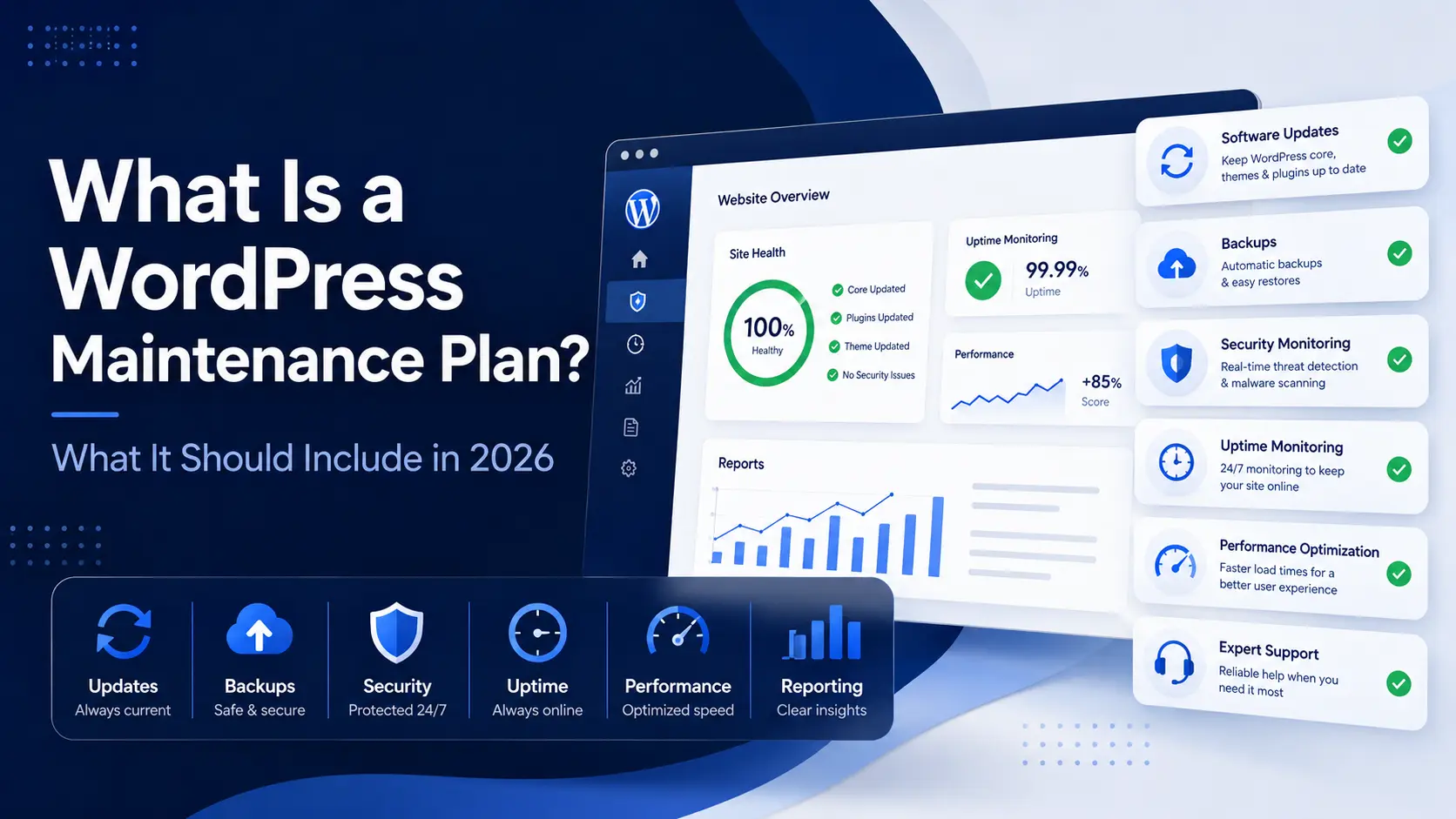
A WordPress maintenance plan is an ongoing service that helps keep a website updated, backed up, monitored, secure, and supported after launch.
Depending on the plan, it may also include content updates, performance optimization, SEO maintenance, analytics, reporting, and direct technical assistance.
Updated for 2026 · Small-business focused · Written in plain English
In This Guide
View the article sections
Quick answer
Why WordPress needs maintenance
What a plan should include
Additional care services
Hosting versus maintenance
Automated vs. managed care
Who needs maintenance
Maintenance schedule
What plans typically exclude
How to choose a plan
Questions to ask providers
Maintenance plan costs
LaunchPad Website Care plans
Frequently asked questions
THE QUICK ANSWER
What does a WordPress maintenance plan do?
A WordPress maintenance plan provides recurring technical care designed to keep a website healthy, available, recoverable, and functioning properly.
At a minimum, the service normally covers WordPress software updates, backups, uptime monitoring, security monitoring, and access to support when something goes wrong.
More comprehensive plans may also include hands-on content changes, performance work, analytics, SEO maintenance, troubleshooting, and priority assistance.
A maintenance plan should help:
✓ Keep WordPress software current
✓ Create reliable recovery points
✓ Identify downtime quickly
✓ Monitor potential security concerns
✓ Reduce avoidable technical problems
✓ Provide access to knowledgeable support
✓ Document the work being completed
AFTER THE WEBSITE LAUNCHES
Why do WordPress websites need ongoing maintenance?
A WordPress website is not a finished product that remains unchanged after launch. WordPress core, themes, plugins, hosting environments, browsers, integrations, and security risks continue evolving.
Ongoing maintenance helps the website adapt to those changes while reducing the risk that small issues become larger technical problems.
Software continues changing
WordPress, plugins, and themes receive updates for security, compatibility, bugs, features, and performance.
Security requires attention
New software vulnerabilities and suspicious activity can emerge after a website has been launched.
Website performance can change
New content, plugins, images, hosting changes, and outside scripts may affect speed and usability over time.
Backups must remain available
A recovery plan is only useful when current backups are created, retained, and accessible when needed.
Business information changes
Services, team members, pricing, promotions, hours, policies, and other website content may need ongoing updates.
Problems need accountability
A maintenance relationship gives the business a defined person or provider to contact when questions or problems arise.
FOUNDATIONAL WEBSITE CARE
What should every WordPress maintenance plan include?
Although providers package services differently, a professional plan should clearly address software updates, backup protection, monitoring, support, and reporting.
SOFTWARE CARE
WordPress core updates
The main WordPress software should be reviewed and updated to address security, compatibility, functionality, and maintenance improvements.
SOFTWARE CARE
Plugin and theme updates
Installed plugins and themes should be reviewed regularly and updated with appropriate attention to compatibility.
QUALITY CONTROL
Compatibility checks
The provider should check important pages and functionality after updates rather than assuming every update completed successfully.
RECOVERY PROTECTION
Independent backups
Additional website backups should be stored separately from the live website and hosting environment whenever practical.
AVAILABILITY
Uptime monitoring
The website should be monitored for availability so unexpected downtime can be identified and investigated quickly.
PROTECTION
Security monitoring
The plan should monitor relevant vulnerabilities, SSL status, suspicious activity, and other potential security concerns.
SUPPORT
Troubleshooting assistance
The provider should explain how technical issues are reported, investigated, and handled under the plan.
COMMUNICATION
A defined support method
Clients should know how to request help, normal response expectations, and whether urgent support is handled differently.
ACCOUNTABILITY
Monthly reporting
A report should document updates, monitoring, backups, performance, security activity, and other completed maintenance work.
MORE HANDS-ON SUPPORT
What may be included in a higher-level maintenance plan?
Foundational maintenance focuses on keeping the website updated, monitored, and recoverable. Higher-level Website Care plans may also include recurring hands-on work.
These plans are generally designed for active businesses that rely on their websites for leads, appointments, sales, communication, or daily operations.
Additional services may include:
✓ Routine text and image updates
✓ Minor layout changes
✓ New blog or resource publishing
✓ Website analytics reporting
✓ Performance optimization
✓ Basic SEO maintenance
✓ Product or service updates
✓ WooCommerce monitoring
✓ Included development time
✓ Faster or priority support
HOSTING AND MAINTENANCE ARE DIFFERENT
Do you still need maintenance if your hosting company provides updates?
Hosting support and WordPress maintenance overlap in some areas, but they are not the same service.
A hosting company maintains the server and may provide automatic backups, updates, security tools, SSL, and account-level support. A maintenance provider focuses on WordPress itself, the website’s functionality, and the ongoing needs of the business.
WEB HOSTING
Keeps the website available online
Hosting provides the server space and technology needed to publish the website on the internet.
Commonly includes: Server infrastructure, storage, bandwidth, SSL, server-level backups, and hosting-account support.
WORDPRESS MAINTENANCE
Looks after the website itself
Maintenance focuses on WordPress software, functionality, backups, monitoring, updates, troubleshooting, and ongoing support.
Commonly includes: Tested updates, independent backups, uptime, vulnerabilities, reporting, and direct website assistance.
NOT ALL MAINTENANCE IS THE SAME
Automated maintenance versus managed website care
Automation is useful for recurring tasks, alerts, reporting, and routine updates. The difference is whether someone also reviews the information, tests the website, investigates concerns, and communicates with the business owner.
AUTOMATED MAINTENANCE
Software performs recurring tasks
Automated tools may install updates, create backups, run security scans, monitor uptime, and generate reports.
Advantages:
✓ Lower cost
✓ Consistent recurring checks
✓ Fast notifications
✓ Useful for simple websites
Limitations:
– Limited judgment
– Little or no hands-on testing
– Findings may lack context
– Problems may still require outside help
MANAGED WEBSITE CARE
Automation combined with human oversight
A provider uses maintenance tools but also reviews the results, checks the website, handles requests, and makes informed decisions.
Advantages:
✓ Human interpretation
✓ Testing after important updates
✓ Direct support
✓ Troubleshooting and communication
✓ Greater accountability
Consideration:
– Costs more because professional time and responsibility are included
CHOOSING THE RIGHT LEVEL OF CARE
Who needs a WordPress maintenance plan?
Nearly every business website benefits from some form of recurring maintenance. The appropriate level depends on the website’s complexity, activity, importance, and the owner’s ability to manage it.
INFORMATIONAL WEBSITE
Basic maintenance may be enough
A smaller website that rarely changes may mainly need updates, backups, monitoring, reporting, and occasional support.
LEAD-GENERATION WEBSITE
Closer attention may be valuable
A website that generates calls, forms, or appointments should receive regular testing, monitoring, content updates, and performance review.
PROFESSIONAL PRACTICE
Accuracy and reliability matter
Practices may need regular updates to services, forms, staff, hours, insurance information, resources, and patient-facing content.
NONPROFIT OR ORGANIZATION
Several people may rely on the site
Organizations often benefit from ongoing event, announcement, staff, resource, and donation-related support.
WOOCOMMERCE STORE
Sales create additional risk
Online stores require closer attention to products, payments, customer accounts, checkout, integrations, security, and backups.
MEMBERSHIP OR COURSE SITE
Complex functionality needs testing
User accounts, subscriptions, restricted content, courses, payments, and outside systems create more maintenance responsibility.
ONGOING CARE SCHEDULE
How often should WordPress maintenance be performed?
WordPress maintenance is not one task completed on a single schedule. Different activities should happen continuously, daily, weekly, monthly, or whenever the website changes.
The frequency should reflect how active the website is and how much harm downtime, lost content, or broken functionality could cause.
Typical maintenance frequencies
Continuous:
Uptime and availability monitoring
Daily or ongoing:
Security monitoring and active-site backups
Weekly or monthly:
WordPress, plugin, and theme update review
Monthly:
Reporting, performance review, and general website health checks
As needed:
Content updates, troubleshooting, improvements, and support requests
UNDERSTAND THE LIMITATIONS
What is normally not included in a maintenance plan?
Maintenance plans are intended for recurring website care—not unlimited design, development, marketing, or business services. The provider should clearly explain exclusions before the plan begins.
Major redesigns
New visual designs, extensive layout changes, and full website rebuilds are normally separate projects.
New custom functionality
Complex features, integrations, portals, calculators, applications, and development projects usually require a separate estimate.
Extensive copywriting
Routine text changes may be included, while research, strategy, and complete page writing are usually separate services.
Branding and design assets
Logo design, photography, custom illustration, brand strategy, and marketing materials are not standard maintenance tasks.
Advanced SEO campaigns
Basic SEO upkeep may be included, but research, content campaigns, link acquisition, and large-scale optimization are separate work.
Third-party expenses
Hosting, domain renewals, premium licenses, email services, advertising, and outside subscriptions are usually paid separately.
MAKE A PRACTICAL DECISION
How do you choose the right WordPress maintenance plan?
Choose the least expensive plan that genuinely supports the website’s activity, complexity, and importance to the business.
01
Evaluate the website
Consider its size, plugins, custom features, integrations, traffic, content activity, and overall technical condition.
02
Consider business impact
Ask what would happen if the website became unavailable, lost recent data, or stopped generating leads or sales.
03
Decide how hands-on you want to be
Determine whether you only need technical protection or also want someone to manage ongoing website changes.
04
Compare support expectations
Review response times, communication methods, content allowances, emergency terms, and additional fees.
BEFORE CHOOSING A PROVIDER
Questions to ask about a maintenance plan
A trustworthy provider should answer these questions clearly and explain what is included before asking you to commit.
How are updates handled?
Ask how frequently updates are reviewed, whether backups are created first, and whether the website is checked afterward.
Where are backups stored?
Confirm the frequency, location, retention period, and process for restoring the website.
What happens after a security incident?
Ask whether investigation, cleanup, restoration, and emergency work are included or billed separately.
How quickly is support provided?
Review normal support hours, response expectations, urgent-issue procedures, and any priority-service terms.
Are content updates included?
Determine which changes qualify, whether time or quantity limits apply, and what requires a separate estimate.
Will I receive a report?
Ask whether the provider documents updates, monitoring, backups, performance, security, and completed work.
UNDERSTAND THE PRICING
How much should a WordPress maintenance plan cost?
Monthly maintenance pricing can range from under $50 for heavily automated services to several hundred dollars or more for hands-on business, ecommerce, and priority support.
Our detailed pricing guide explains the common service levels, factors that affect cost, hidden expenses, and questions to ask before comparing providers.
LAUNCHPAD WEBSITE CARE
Month-to-month WordPress care for different levels of support.
LaunchPad offers three Website Care options covering essential updates, independent backups, monitoring, reporting, and direct access to support.
STARTING AT $60 PER MONTH
Base Website Care
For informational websites that change infrequently but still require dependable updates, backups, monitoring, and reporting.
STARTING AT $130 PER MONTH
Essential Website Care
For active business websites needing routine content changes, performance work, closer monitoring, and ongoing support.
STARTING AT $200 PER MONTH
Elite Website Care
For high-traffic, ecommerce, frequently updated, or business-critical websites requiring priority attention.
COMMON QUESTIONS
WordPress maintenance plan FAQs
Quick answers about plan inclusions, hosting, backups, content updates, security, WooCommerce, and ongoing website care.
WordPress Maintenance Plan FAQs
What is included in a WordPress maintenance plan?
A WordPress maintenance plan normally includes WordPress core, plugin, and theme updates; website backups; uptime monitoring; security or vulnerability monitoring; troubleshooting; support; and recurring reporting. Higher-level plans may also include content updates, performance optimization, analytics, SEO maintenance, and development time.
Do I need maintenance if my hosting company performs updates?
Possibly. Hosting companies may provide automatic updates, backups, SSL, security tools, and hosting-related support. A dedicated maintenance plan generally provides more direct oversight of WordPress, its functionality, testing, monitoring, content, and ongoing business needs.
How often should WordPress maintenance be performed?
Uptime and security monitoring may run continuously, while backups may be created daily or weekly depending on website activity. WordPress software updates are commonly reviewed weekly or monthly, and maintenance reports are usually provided monthly.
Can I maintain my WordPress website myself?
Yes. DIY maintenance can be practical for a smaller website when the owner understands updates, backups, testing, security, and restoration. Business owners should also consider whether they have time to perform the work consistently and respond when something goes wrong.
Does WordPress maintenance include content updates?
It depends on the plan. Basic plans may include technical maintenance only. Higher-level plans may include text changes, image replacements, blog publishing, service updates, product changes, and minor layout adjustments within an agreed scope.
Are website backups included in maintenance plans?
Professional maintenance plans commonly include backups, but the frequency, location, retention period, and restoration terms vary. Ask whether the backups are stored separately from the live website and who is responsible for restoring them.
Does a maintenance plan prevent a website from being hacked?
No service can guarantee that a website will never be compromised. Maintenance can reduce risk through updates, monitoring, backups, security tools, and faster detection, but no provider controls every vulnerability, password, hosting condition, or outside attack.
Is WooCommerce maintenance more expensive?
WooCommerce websites generally require more careful maintenance because updates can affect products, payments, shipping, taxes, customer accounts, checkout, and third-party integrations. The appropriate price depends on store size, complexity, order volume, and support requirements.
Can a provider maintain a WordPress site they did not build?
Yes. Many providers maintain existing WordPress websites created by someone else. The website should first be reviewed for its hosting, software, theme, plugins, custom code, licenses, security, and unresolved technical issues.
How much does a WordPress maintenance plan cost?
WordPress maintenance may cost from under $50 per month for heavily automated care to several hundred dollars or more for active business, ecommerce, membership, or priority support. LaunchPad Website Care plans currently start at $60, $130, and $200 per month.
Can I change maintenance plans later?
Many providers allow clients to upgrade or downgrade as their website changes. LaunchPad Website Care plans are month to month and can be adjusted when the website or support requirements evolve.
What is normally excluded from a maintenance plan?
Major redesigns, custom functionality, extensive copywriting, branding, advanced SEO campaigns, paid advertising, hosting fees, domain fees, and premium software licenses are usually excluded unless specifically stated.
CONTINUE LEARNING ABOUT WEBSITE CARE
Compare pricing, plans, reporting, and ongoing WordPress support.
Explore LaunchPad’s maintenance pricing guide, Website Care options, and sample monthly report for a clearer picture of what ongoing support can include.
KEEP YOUR WORDPRESS WEBSITE LOOKED AFTER
Not sure which maintenance plan is right for your website?
Tell LaunchPad about your website, how often it changes, and how important it is to your business. You will receive an honest recommendation and clear monthly pricing before service begins.
