
No products in the cart.
WordPress Maintenance
How Often Should You Back Up Your WordPress Website? 2026 Guide
WORDPRESS BACKUP GUIDE
How Often Should You Back Up Your WordPress Website? 2026 Guide
Choose a WordPress backup schedule based on how often your website changes, how important its data is, and how much information your business can afford to lose.
Updated for 2026 · WordPress backups · Website maintenance · Disaster recovery
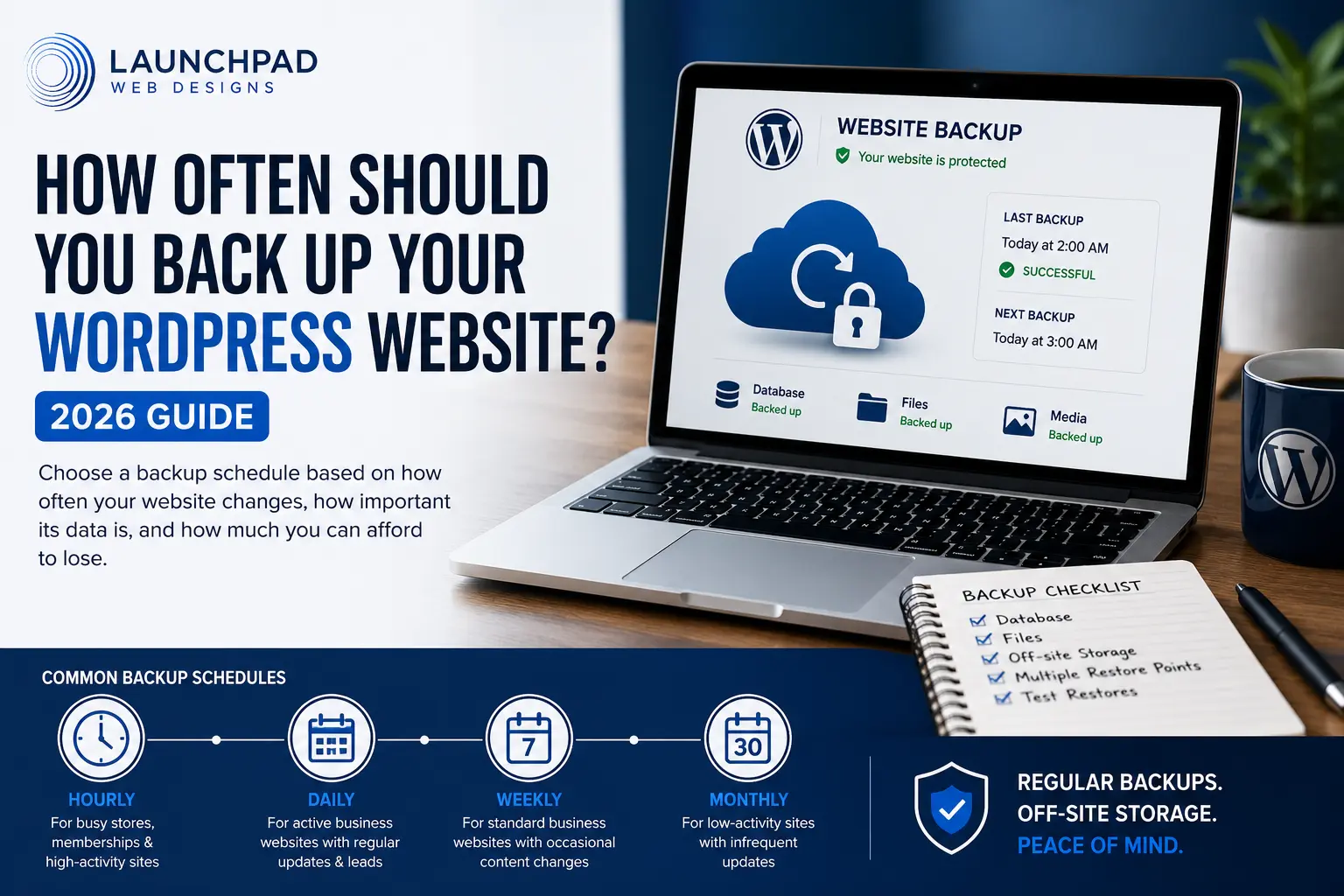
A backup is a saved copy of the information needed to restore your WordPress website after a failed update, security incident, server problem, accidental deletion, or other unexpected event.
The right backup frequency is not the same for every website. A small service website that changes twice per year does not need the same schedule as an online store receiving orders throughout the day.
A practical rule is to ask how much recent information the business could afford to lose. If losing one day of orders, appointments, registrations, form entries, or content would cause a serious problem, one daily backup may not be enough.
Backups are only one part of ongoing website care. See the complete WordPress Maintenance Checklist for 2026 for the updates, testing, security, performance, and content checks that should accompany them.
In This Guide
View the article sections
Quick backup-frequency recommendations
What a complete WordPress backup includes
How to choose the right backup frequency
Recommended schedules by website type
Database backups versus file backups
Storage and backup retention
Why backups should be tested
When to create an extra backup
Common WordPress backup mistakes
Frequently asked questions
THE QUICK ANSWER
How often should a WordPress website be backed up?
Back up the website at least as often as meaningful new information is created. Many small-business websites can use daily database backups and weekly full-site backups. Active stores, membership websites, booking platforms, and other frequently changing sites may need hourly or real-time backups.
LOW-ACTIVITY WEBSITE
Daily or weekly
Suitable for a relatively static brochure website that receives few content changes, form entries, or transactions.
ACTIVE BUSINESS WEBSITE
At least daily
Appropriate when the website regularly receives leads, publishes content, accepts registrations, or stores important form submissions.
BUSINESS-CRITICAL WEBSITE
Hourly or real-time
Often appropriate for active WooCommerce stores, memberships, booking systems, online courses, and websites that change throughout the day.
COMPLETE WORDPRESS BACKUPS
A database export alone is not a complete website backup
A complete restoration normally requires both the WordPress database and the files used by the website.
The WordPress database may contain:
✓ Posts and pages
✓ Comments
✓ Users and account information
✓ Website settings
✓ Form and plugin data
✓ WooCommerce orders and customer records
✓ Product, membership, and subscription information
The website files may include:
✓ WordPress core files
✓ Active and inactive themes
✓ Plugins and extensions
✓ Uploaded images and documents
✓ Custom code and configuration files
✓ Other files stored within the hosting account
CHOOSING A BACKUP SCHEDULE
Start with the maximum amount of data you can afford to lose
The main consideration is not merely how large the website is. It is how often important information changes and what losing that information would mean to the business.
1. How often does the website change?
Consider new posts, page edits, product changes, orders, appointments, registrations, account activity, comments, uploads, and form submissions. More frequent changes usually require more frequent database backups.
2. How valuable is the new data?
Losing one day of low-priority comments is different from losing one day of orders, payments, patient inquiries, reservations, membership changes, or client registrations.
3. How quickly must the website be restored?
A business that depends on its website for daily revenue may need a faster and more reliable restoration process than an informational website that can tolerate several hours of downtime.
4. Where is important information stored?
Some form, payment, booking, email, and customer systems store data outside WordPress. Confirm which information is included in the website backup and which systems require separate protection.
5. How many restore points are needed?
One current backup may not be enough. A problem can remain unnoticed long enough for the newest backup to contain the same error, malicious code, or unwanted change.
BACKUP SCHEDULES BY WEBSITE TYPE
Example WordPress backup frequencies
These examples provide a starting point. The final schedule should reflect the website’s activity, business importance, hosting environment, and available backup system.
Small brochure or service website
A website with a few pages and infrequent changes may not need continuous backups.
Possible starting schedule:
Daily database backup
Weekly full-site backup
Additional backup before updates or major edits
Active blog or content website
Websites publishing frequent posts, comments, uploads, or editorial changes may need more frequent protection.
Possible starting schedule:
Daily database backup
Daily or weekly file backup
Backup before major publishing or design changes
Lead-generation or appointment website
These websites may store important leads, appointments, registrations, and form entries within WordPress.
Possible starting schedule:
Daily or more frequent database backup
Weekly full-site backup
Confirm whether submissions are also stored elsewhere
Membership or online course website
Member accounts, progress, subscriptions, discussions, and protected content may change throughout the day.
Possible starting schedule:
Hourly or several-times-daily database backup
Daily full-site backup
Backup before software and membership changes
WooCommerce store
A store can generate new orders, customer accounts, inventory changes, payment records, refunds, coupons, and subscriptions at any time. Restoring an older backup may remove legitimate transactions that occurred after that restore point.
Possible starting schedule:
Hourly, near-real-time, or real-time database backups
Daily full-site backup
Additional backup before WooCommerce, payment, theme, or extension updates
A documented process for handling transactions created after the selected restore point
DATABASE VERSUS FILE BACKUPS
The two parts may need different schedules
The database may change every time an order, comment, account, form entry, setting, or post is created. Website files may change less often unless new images, plugins, themes, or documents are regularly added.
Database backups
Database backups are usually smaller and faster than full-site backups. Frequently changing websites may therefore back up the database more often.
They do not normally include the actual uploaded images, theme files, plugin files, or other content stored on the server.
Full-site backups
A full backup combines the database with the files required to reconstruct the website more completely.
Full backups normally require more storage and may take longer to create, transfer, verify, and restore.
BACKUP STORAGE AND RETENTION
Keep more than one copy and more than one restore point
A backup stored only on the same server as the website may become unavailable during the same hardware failure, hosting suspension, account compromise, or server-level problem.
Use off-site storage.
Store at least one backup copy somewhere separate from the website’s primary hosting environment.
Retain multiple versions.
Keep several recent and older restore points so one unnoticed problem does not affect every available copy.
Protect backup access.
Use strong passwords, multifactor authentication where available, appropriate permissions, and secure storage accounts.
Review available storage.
A backup process may begin failing when its destination reaches a storage limit or loses authorization.
BACKUP VERIFICATION
A successful backup notification does not prove the website can be restored
Backup software may report that a process completed successfully even when important files are missing, the database is incomplete, the archive is corrupted, or the restoration process is not understood.
A practical restore test should confirm:
✓ The backup files can be accessed and downloaded
✓ The database and website files are both present
✓ The archive can be opened or processed
✓ The website can be restored in a safe test environment
✓ Important pages, forms, accounts, and functions still work
✓ The person responsible knows how to begin the recovery process
✓ Required account credentials and documentation are available
BEFORE IMPORTANT CHANGES
Create an additional backup before higher-risk work
A scheduled backup does not remove the need for an immediate restore point before making important technical or content changes.
□ Updating WordPress core, themes, or important plugins
□ Updating WooCommerce, payment gateways, subscriptions, or store extensions
□ Changing PHP, database, caching, security, DNS, or server settings
□ Installing or removing a theme or plugin
□ Importing, exporting, or replacing large amounts of content
□ Migrating the website to a new host or domain
□ Performing database cleanup or search-and-replace operations
□ Redesigning important pages or modifying custom code
Know whether your backups are actually completing
LaunchPad’s monthly Website Care reports document backup status alongside updates, uptime, security monitoring, performance checks, and completed maintenance.
See What a Monthly Report IncludesCOMMON WORDPRESS BACKUP MISTAKES
A backup strategy needs more than an installed plugin
Common WordPress Backup Mistakes
Relying only on the hosting company’s backups
Hosting backups can be valuable, but the business should understand their frequency, retention period, storage location, restoration process, limitations, and whether access remains available during a hosting-account problem.
Keeping the only backup on the same server
A server failure, account compromise, or hosting suspension may affect both the live website and backups stored in the same environment. Maintain at least one separate off-site copy.
Backing up only the database
The database contains important content and settings, but it does not normally contain the complete collection of themes, plugins, uploaded media, documents, and custom files needed to reconstruct the website.
Keeping only the newest backup
The most recent backup may already contain an unnoticed problem. Retaining multiple restore points provides more recovery options.
Never testing the restoration process
A backup should be treated as unverified until the files can be accessed and the website can be restored successfully in an appropriate test environment.
Using the same frequency for every website
A weekly backup may be adequate for one relatively static website and unacceptable for a store receiving orders throughout the day. Match the schedule to the website’s rate of change and business risk.
Forgetting backups before updates
Routine scheduled backups may not provide a restore point immediately before an update or configuration change. Create or confirm a current backup before higher-risk work.
FREQUENTLY ASKED QUESTIONS
WordPress backup FAQs
WordPress Backup FAQs
How often should I back up a small-business WordPress website?
Many small-business websites can begin with daily database backups and weekly full-site backups. Increase the frequency when the website regularly receives important form entries, appointments, registrations, sales, account changes, or new content.
How often should a WooCommerce store be backed up?
An active WooCommerce store may need hourly, near-real-time, or real-time database backups because orders, customer records, payments, inventory, refunds, and subscriptions can change throughout the day. The appropriate frequency depends on order volume and how much transaction data the business can afford to lose.
Does WordPress include a built-in backup system?
WordPress includes export tools for certain site content, but a complete recovery strategy normally requires a separate system that protects both the WordPress database and the website files.
Are hosting-company backups enough?
Hosting backups can be an important part of the strategy, but relying on one provider creates a single point of dependence. Review the host’s frequency, retention, storage, restore process, limitations, and access conditions, and maintain an independent off-site copy when practical.
What is the difference between a database backup and a full backup?
A database backup protects information stored in the WordPress database, such as pages, posts, users, settings, orders, and plugin data. A full-site backup also includes themes, plugins, uploaded media, documents, custom code, and other website files.
How many WordPress backups should I keep?
Keep multiple recent and older restore points rather than only the newest copy. The exact retention period depends on storage capacity, website activity, business requirements, and how long a problem might remain unnoticed.
Where should WordPress backups be stored?
Keep at least one copy outside the website’s primary hosting environment. The storage account should be protected with appropriate permissions, strong credentials, and multifactor authentication where available.
Should I back up WordPress before installing updates?
Yes. Confirm that a current, usable backup exists before updating WordPress core, themes, plugins, WooCommerce, payment gateways, or other important software. Test significant updates in a staging environment when appropriate.
How do I know whether a WordPress backup works?
The strongest confirmation is a successful restoration in a safe testing environment. At minimum, verify that the expected database and file archives exist, can be accessed, and are not reporting errors.
Do WordPress backups protect against hacking?
Backups do not prevent attacks. They provide a potential recovery option after a security incident. Website security also requires supported software, secure access, appropriate configuration, monitoring, and an incident-response process.
CONTINUE THE WORDPRESS MAINTENANCE SERIES
Build a complete Website Care strategy
Learn what ongoing maintenance includes, how much professional support may cost, and which tasks should be completed throughout the year.
What Is a WordPress Maintenance Plan? View the Maintenance ChecklistONGOING WORDPRESS WEBSITE CARE
Your backup system should be monitored—not simply installed
LaunchPad Website Care combines recurring backups with WordPress updates, uptime monitoring, security checks, performance reviews, reporting, and direct support.
Explore Website Care
Compare LaunchPad’s recurring maintenance plans and choose the support level that fits your website.
View Website Care Plans