
No products in the cart.
WORDPRESS MAINTENANCE COST GUIDE
WordPress Maintenance Cost in 2026: What Should You Expect to Pay?
Most small-business WordPress maintenance plans cost about $50–$500 per month. Basic care may cost less, while ecommerce, membership, high-traffic, or business-critical websites can cost $500–$2,000+ depending on complexity, testing, and support.
The price depends on what is included, how often the website is reviewed, how much human involvement is required, and how important the site is to the business.
Updated for 2026
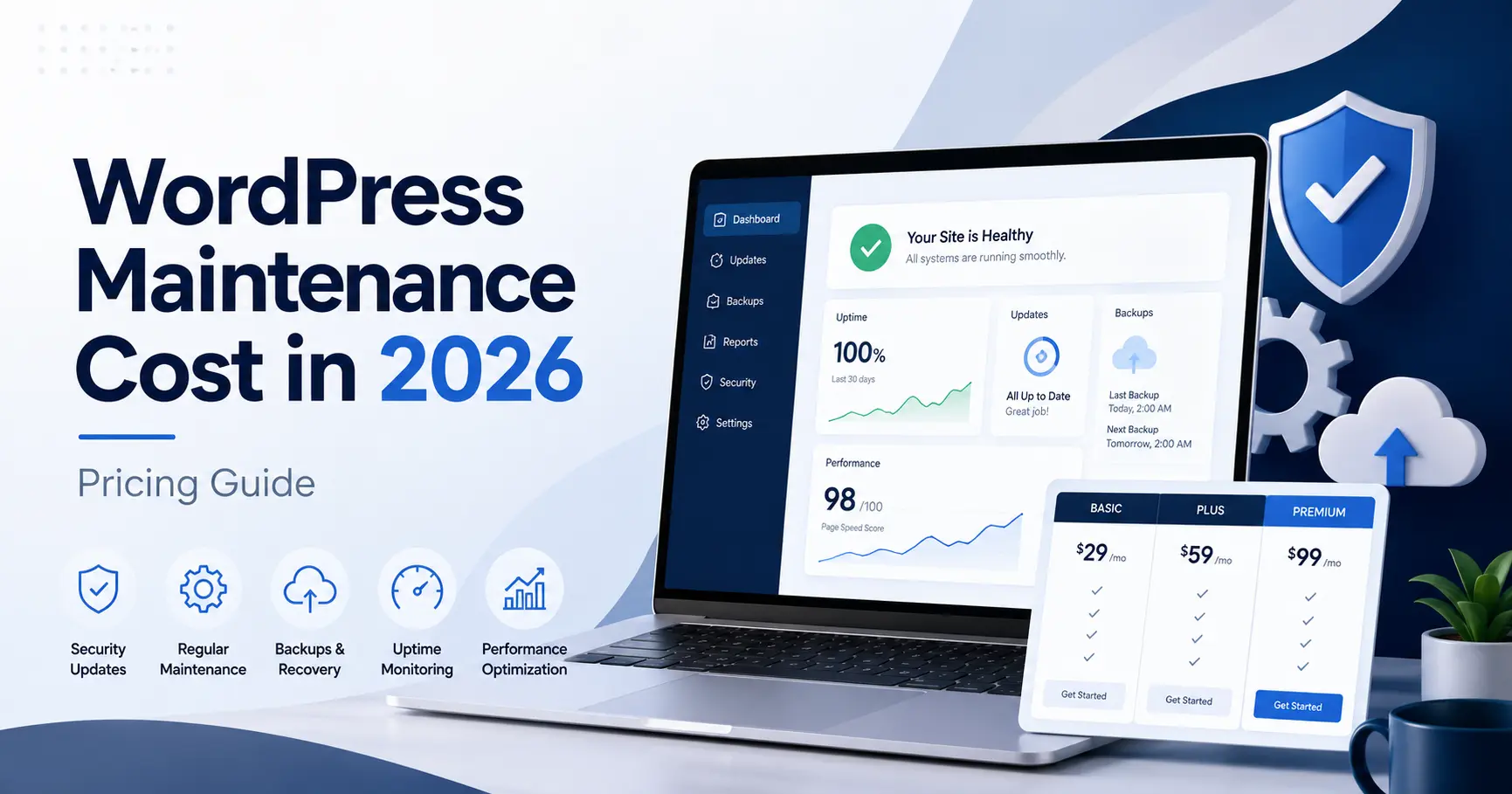
WordPress maintenance costs at a glance
Quick answer: For a typical small-business website, professional WordPress maintenance generally costs about $50–$500 per month. DIY or mostly automated options may cost $0–$50/month; basic managed care typically runs $50–$150/month; and more hands-on business support often costs $150–$500/month. Complex ecommerce, membership, or business-critical sites can require $500–$2,000+ per month.
These are broad planning estimates, not standardized industry rates or quotes. Actual prices depend on the website, scope, update and backup frequency, and support needs.
2026 WORDPRESS MAINTENANCE PRICING
How much does WordPress maintenance cost per month?
For most small-business websites, professional WordPress maintenance falls somewhere between approximately $50 and $500 per month. Simpler websites may cost less. Ecommerce, membership, learning, high-traffic, and business-critical sites often cost more because they require more frequent testing, backups, monitoring, and support.
ABOUT $0–$50 / MONTH
DIY or automated tools
Best fit: Personal sites, hobby sites, or technically confident owners.
ABOUT $50–$150 / MONTH
Basic managed maintenance
Best fit: Small informational websites and professional service sites.
ABOUT $150–$500 / MONTH
Active business Website Care
Best fit: Lead-generation sites, practices, active service businesses, and organizations.
ABOUT $500–$2,000+ / MONTH
Ecommerce or advanced care
Best fit: Stores, memberships, learning platforms, and business-critical websites.
Annual equivalent: Professional maintenance for a typical small-business WordPress website often works out to roughly $600–$6,000 per year, depending on the level of care and support required.
These are general market ranges, not fixed industry prices or quotes.
Looking for affordable professional WordPress maintenance? LaunchPad Website Care starts at $60/month and includes updates, independent backups, monitoring, direct support, and monthly reports. Compare three month-to-month plans to find the right level of care for your website.
WHAT YOU RECEIVE AT EACH PRICE LEVEL
What does WordPress maintenance include at each price level?
Two plans with similar prices may include very different services. Compare the actual scope, limitations, testing, and level of human involvement.
The biggest difference between a $60 plan and a $500 plan is usually not the software. It is the amount of human review, testing, support, and responsibility included.
APPROXIMATELY $0–$50 PER MONTH
DIY tools or automated maintenance
This level normally relies heavily on hosting tools, software automation, or a low-cost provider managing many websites.
Often included:
✓ Automated software updates
✓ Basic backups
✓ Security scans
✓ Uptime alerts
✓ Automated reports
Often excluded:
– Detailed testing after updates
– Content changes
– Direct developer access
– Performance work
– Hands-on troubleshooting
Best for: Personal sites, hobby sites, or technically confident owners.
APPROXIMATELY $50–$150 PER MONTH
Basic managed WordPress maintenance
This is a common level for informational business websites that change infrequently but still require dependable oversight.
Often included:
✓ WordPress, theme, and plugin updates
✓ Independent backups
✓ Uptime monitoring
✓ Security monitoring
✓ SSL and domain monitoring
✓ Monthly reporting
✓ Limited support
Often excluded:
– Routine content changes
– New page development
– Advanced performance work
– Ongoing SEO work
Best for: Brochure sites, portfolios, and smaller professional websites.
APPROXIMATELY $150–$500 PER MONTH
Active business Website Care
This level combines technical maintenance with more hands-on support and closer attention to the website.
May include:
✓ More frequent tested updates
✓ Daily backups
✓ Routine content changes
✓ Minor layout adjustments
✓ Performance optimization
✓ Analytics reporting
✓ Basic SEO maintenance
✓ Faster support response
Best for: Lead-generation websites, practices, active service businesses, and organizations.
APPROXIMATELY $500–$2,000+ PER MONTH
Ecommerce, membership, or advanced support
Sites that process sales, manage subscriptions, or support important business systems require more careful testing and faster intervention.
May include:
✓ Staging-site testing
✓ Frequent or real-time backups
✓ WooCommerce monitoring
✓ Checkout and payment testing
✓ Integration monitoring
✓ Priority support
✓ Included development time
✓ Service-level response commitments
Best for: Stores, membership sites, learning platforms, and business-critical websites.
WHAT YOU ARE ACTUALLY PAYING FOR
What goes into the cost of maintaining a WordPress website?
Maintenance pricing is not just a charge for clicking an update button. A professional plan may involve ongoing review, testing, monitoring, recovery preparation, and direct support.
UPDATES
WordPress software
Core, theme, and plugin updates need to be reviewed and applied carefully.
BACKUPS
Recovery protection
Reliable backups provide restore points when an update, error, or security issue causes trouble.
SECURITY
Vulnerability monitoring
Security reviews help identify outdated software, suspicious activity, and other risks.
UPTIME
Website availability
Monitoring helps identify when the site becomes unavailable so action can be taken.
TESTING
Functionality checks
Forms, navigation, checkout paths, and other important features may need verification after changes.
PERFORMANCE
Speed and stability
Performance review can identify slowdowns, plugin conflicts, and other issues affecting usability.
SUPPORT
Access to help
Hands-on troubleshooting and direct support add value when something needs attention.
REPORTING
Clear accountability
Useful reports explain what was completed, what was monitored, and what still needs attention.
WHY PRICES VARY
What determines the cost of WordPress maintenance?
The monthly price reflects the amount of work, technical risk, support responsibility, and time required to maintain the website properly.
WEBSITE TYPE
Simple site or complex platform
An informational company website is usually easier to maintain than ecommerce, membership, booking, directory, or learning websites.
SOFTWARE COMPLEXITY
Plugins, integrations, and custom code
More plugins, outside integrations, premium software, and custom code usually require more testing and troubleshooting.
FREQUENCY
How often the site needs attention
Weekly reviews, daily monitoring, frequent backups, and regular testing require more hands-on time than occasional maintenance.
CONTENT & DEVELOPMENT
How often the website changes
Text, images, promotions, products, staff updates, new pages, and layout changes add hands-on work to the plan.
BUSINESS CRITICALITY
What happens if the site fails?
A website generating sales, leads, appointments, or customer access usually needs closer monitoring and faster support.
PROVIDER MODEL
Automation, specialist, or agency
Automated platforms, independent WordPress specialists, and agencies provide different levels of access, overhead, and personal involvement.
REAL-WORLD PRICING EXAMPLES
Example WordPress maintenance costs by website type
The right price depends on the site itself. These examples show how website type and business risk can change the amount of care required.
ABOUT $50–$150 / MONTH
Small informational website
Typically 5–10 pages, a contact form, standard WordPress plugins, infrequent content changes, and no ecommerce.
Typical needs: Updates, backups, uptime monitoring, security monitoring, and occasional support.
ABOUT $150–$500 / MONTH
Active service-business website
Usually a lead-generation site with regular content updates, analytics, forms, ongoing support, and closer performance review.
Typical needs: More frequent updates, content support, troubleshooting, performance work, and reporting.
ABOUT $500–$2,000+ / MONTH
WooCommerce or business-critical website
Stores, memberships, bookings, payments, and integrations create more technical risk and a greater need for testing.
Typical needs: Frequent backups, staging tests, checkout checks, integration monitoring, and priority support.
COMPARE THE SCOPE, NOT ONLY THE PRICE
What should a WordPress maintenance plan include?
At minimum, a professional maintenance plan should help keep the website updated, backed up, monitored, and recoverable.
The provider should explain how updates are handled, where backups are stored, what happens when a problem is detected, and which services require an additional charge.
If you are still deciding what ongoing care means in practice, read What Is a WordPress Maintenance Plan? and use the WordPress Maintenance Checklist as a practical reference.
Core services to look for
✓ WordPress core updates
✓ Plugin and theme updates
✓ Compatibility review or testing
✓ Independent backups
✓ Clear backup frequency and retention
✓ Uptime monitoring
✓ Security or vulnerability monitoring
✓ SSL certificate monitoring
✓ A defined support method
✓ Troubleshooting terms
✓ Monthly reporting
✓ Clear exclusions and additional charges
A COMMON SOURCE OF CONFUSION
Does WordPress hosting include website maintenance?
Usually, only partially. Hosting companies maintain the server and may provide automatic backups, security tools, automatic updates, or account support.
That does not necessarily mean someone is reviewing your complete WordPress website, testing updates, correcting broken layouts, making content changes, or monitoring business functionality.
WEB HOSTING
Keeps the website online
Hosting provides the server space and technology needed to make the website available on the internet.
Usually covers: Server infrastructure, storage, bandwidth, SSL, server-level backups, and hosting-related support.
WORDPRESS MAINTENANCE
Looks after the website itself
Maintenance focuses on WordPress, its software, its functionality, and the ongoing condition of the website.
Usually covers: Updates, testing, independent backups, uptime, vulnerabilities, troubleshooting, reporting, and developer support.
THE DIY OPTION
Can you maintain a WordPress website yourself?
Yes. Many website owners can manage routine updates and backups themselves, especially when the website is simple and they are comfortable working inside WordPress.
The direct software cost may be low, but DIY maintenance still requires time, judgment, and the ability to respond when an update causes a conflict or the website stops working correctly.
The real question is whether you have the time and confidence to test the website, investigate problems, restore a backup, and maintain it consistently.
If you are deciding between handling maintenance yourself and paying for ongoing support, see the full comparison of DIY WordPress maintenance vs professional Website Care.
DIY maintenance may be reasonable when:
✓ The website is small and uncomplicated
✓ It does not process sales or sensitive information
✓ You understand updates and backups
✓ You know how to test forms and functionality
✓ You can restore the website if necessary
✓ You have time to review it consistently
✓ Occasional downtime would not seriously affect the business
HOW OFTEN CARE SHOULD HAPPEN
How often should WordPress maintenance be performed?
There is no single schedule that fits every website. Monitoring and backups may run continuously or daily, while software updates may be reviewed weekly or monthly depending on the site.
For a deeper breakdown, see How Often Should You Update WordPress?, How Often Should You Back Up a WordPress Website?, and the WordPress Security Maintenance Checklist.
LOOK BEYOND THE MONTHLY FEE
What additional WordPress maintenance costs should you ask about?
A low monthly price may not include every expense required to keep the website operating. Ask for a complete explanation before comparing providers.
Premium software
Some plugins, themes, backup systems, and performance tools require separate annual subscriptions.
Malware cleanup
Monitoring may be included while full removal, investigation, and restoration are billed separately.
Content changes
Some plans cover only technical care and charge separately for text, images, products, or layout changes.
Performance work
Speed monitoring may be included even when the actual optimization requires a separate project.
Emergency support
Evening, weekend, holiday, or immediate assistance may carry an additional charge.
Hosting and domain fees
Website Care normally excludes hosting, domain renewals, professional email, and third-party subscriptions.
CHOOSING THE RIGHT PROVIDER
How should you compare WordPress maintenance plans?
Start with what your website and business actually require. Then compare the protection, support, accountability, and hands-on work offered by each provider.
01
Review your website
Consider its size, plugins, traffic, functionality, activity, integrations, and importance to the business.
02
Compare exact inclusions
Do not assume that security, backups, updates, optimization, or support mean the same thing in every plan.
03
Read the limitations
Check response times, support hours, content allowances, exclusions, and additional hourly charges.
04
Evaluate the relationship
Determine who reviews the website, how questions are handled, and whether knowledgeable support is directly available.
BEFORE YOU SIGN UP
Questions to ask a WordPress maintenance provider
The answers should be clear and specific. Be cautious when a provider cannot explain how work is performed or what happens when something goes wrong.
Updates
How often are WordPress, plugins, and themes updated? Is the site checked afterward?
Backups
How often are backups created, where are they stored, and who restores the website?
Security
What is monitored, and is malware removal or compromised-site recovery included?
Support
Who responds to requests, what are the normal response times, and are urgent issues handled differently?
Content changes
Are routine updates included, limited by time or quantity, or billed separately?
Reporting
Will you receive documentation covering updates, backups, uptime, security, and completed work?
LAUNCHPAD WEBSITE CARE PRICING
How much do LaunchPad WordPress maintenance plans cost?
LaunchPad offers three month-to-month Website Care options. Every plan includes essential updates, backups, monitoring, reporting, and direct access to support.
LaunchPad’s pricing sits toward the lower end of the managed-care ranges above because clients work directly with an independent WordPress specialist rather than through multiple agency layers. Plans are month to month, with clearly defined services, direct support, and monthly reports documenting the maintenance performed—so you know what your website is receiving.
STARTING AT $60 PER MONTH
Base Website Care
For informational websites that change infrequently but still require dependable updates, backups, monitoring, and reporting.
STARTING AT $130 PER MONTH
Essential Website Care
For active business websites needing more frequent updates, routine content changes, performance work, and ongoing support.
STARTING AT $200 PER MONTH
Elite Website Care
For high-traffic, ecommerce, frequently updated, or business-critical websites requiring closer attention and priority support.
Final pricing depends on the website’s condition, functionality, software, activity, and support requirements. The scope and monthly price are confirmed before service begins.
COMMON PRICING QUESTIONS
WordPress maintenance cost FAQs
Quick answers about pricing, plan scope, hosting, WooCommerce, DIY maintenance, and LaunchPad Website Care.
How much does WordPress maintenance cost per month?
WordPress maintenance can cost from under $50 to several hundred dollars per month. Basic small-business plans commonly fall between approximately $50 and $150, while active business websites may cost between $150 and $500. Ecommerce, membership, high-traffic, and business-critical websites can cost $500 to $2,000 or more depending on the support required.
What does WordPress maintenance include?
A professional maintenance plan commonly includes WordPress core, theme, and plugin updates; backups; uptime monitoring; security monitoring; reporting; and a defined way to request support. More advanced plans may also include content changes, performance work, troubleshooting, staging tests, and priority support.
Why is some WordPress maintenance so inexpensive?
Lower-cost services often rely heavily on automation, standardized processes, and limited human involvement. They may provide updates, backups, and scans but exclude detailed testing, content changes, performance work, troubleshooting, or direct developer access.
Is WordPress maintenance included with hosting?
Hosting may include automatic backups, server security, SSL, updates, or hosting-related support. It does not always include hands-on WordPress testing, content updates, troubleshooting, performance optimization, or ongoing review of the complete website.
How much does WooCommerce maintenance cost?
WooCommerce maintenance often costs more because updates can affect products, payments, shipping, taxes, customer accounts, checkout, and outside integrations. Smaller stores may begin in the low hundreds per month, while complex or high-volume stores can require $500 to $2,000 or more.
Can I maintain my WordPress website myself?
Yes. Website owners can perform routine updates, backups, testing, and monitoring themselves. DIY maintenance is most practical when the website is simple, the owner is technically comfortable, and occasional problems would not seriously affect the business.
Are WordPress maintenance plans worth the cost?
A maintenance plan can be worthwhile when the website supports leads, sales, appointments, customer communication, or other important business activity. The value comes from consistent oversight, faster access to help, reduced owner involvement, and a clearer recovery plan.
What does LaunchPad charge for WordPress maintenance?
LaunchPad Website Care currently starts at $60 per month for Base care, $130 per month for Essential care, and $200 per month for Elite care. Final pricing is confirmed after the website and required support are reviewed.
WORDPRESS MAINTENANCE KNOWLEDGE HUB
Learn more about maintaining a WordPress website
Use these guides to understand what ongoing care involves, how often maintenance should happen, and when professional support may make sense.
START HERE
What Is a WordPress Maintenance Plan?
Understand what ongoing WordPress care typically includes and why businesses use maintenance plans.
CHECKLIST
WordPress Maintenance Checklist
Review the routine tasks involved in keeping a WordPress site healthy, secure, and recoverable.
UPDATES
How Often Should You Update WordPress?
Learn how often WordPress core, plugins, and themes should be reviewed and updated.
BACKUPS
How Often Should You Back Up WordPress?
Choose a backup frequency based on how often your website changes and how much data you can afford to lose.
SECURITY
WordPress Security Maintenance Checklist
Review the security responsibilities that should be part of an ongoing maintenance routine.
DIY OR PROFESSIONAL
DIY Maintenance vs Professional Website Care
Compare the time, responsibility, risk, and support involved in maintaining WordPress yourself versus hiring help.
CHOOSE THE RIGHT LEVEL OF CARE
Not sure how much maintenance your WordPress website needs?
Tell LaunchPad about your website, how often it changes, and how important it is to your business. You will receive an honest recommendation and clear monthly pricing before service begins.